In a recent security assessment, we were unable to intercept the traffic originating from a WebView from an Android application. The application wasn’t using certificate pinning, nor was it configured in any special way that would prevent normal interception. When testing that same application on a different device, the traffic could be intercepted directly, confirming our belief that the issue was the device, not the application.
TL;DR: Chromium now enforces validity ranges for leaf certificates which are shorter than the certificates generated by Burp. This causes the certificate validation to fail. Until PortSwigger makes the certificate lifetime configurable in Burp, the easiest solution is to remove any WebView updates from your device, reverting to older certificate validation logic. Other options are given at the end of the blog post.
Update: The 2026.6 update for Burp now sets the certificate lifetime to 199 days, so the easiest solution now is to update Burp to the latest version.
Creating a testing app
As a first step, let’s create a very basic test app that loads a website into a WebView component and refreshes that WebView every 10 seconds:
public class MainActivity extends AppCompatActivity {

    private final Handler handler = new Handler(Looper.getMainLooper());
    private WebView webView;
    private final Runnable refreshRunnable = new Runnable() {
        @Override
        public void run() {
            if (webView != null) {
                webView.loadUrl("https://nviso.eu");
            }
            handler.postDelayed(this, 10000);
        }
    };

    @Override
    protected void onCreate(Bundle savedInstanceState) {
        super.onCreate(savedInstanceState);
        setContentView(R.layout.activity_main);

        webView = findViewById(R.id.webview);
        WebSettings webSettings = webView.getSettings();
        webSettings.setJavaScriptEnabled(true);
        webView.setWebViewClient(new WebViewClient());
        handler.post(refreshRunnable);
    }
}
Without intercepting the traffic, the application works as expected and displays the main NVISO website. However, when Burp Suite is configured as the interception proxy, the WebView is unable to load the page.
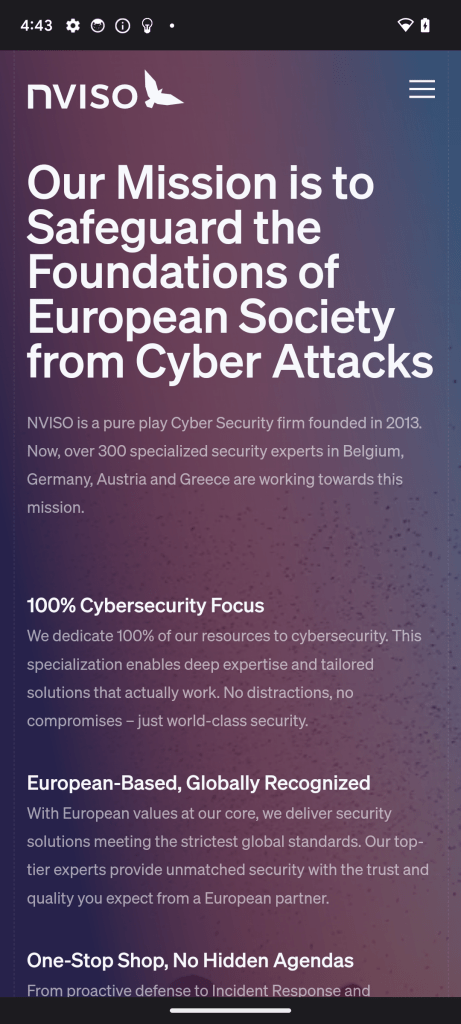

In addition to a black WebView, the typical Burp Suite Proxy error appears, confirming that it is a TLS issue:

Interestingly, logcat also prints an error message, although it does not originate from the app itself:
07-07 16:49:14.759 3347 8552 E chromium: [0707/164914.759550:ERROR:net/socket/ssl_client_socket_impl.cc:944] handshake failed; returned -1, SSL error code 1, net_error -213Certificate validity issues
The error is thrown by Chromium, which is the rendering engine behind the WebView component. The error number is -213, which is CERT_VALIDITY_TOO_LONG1:
...

// The certificate claimed DNS names that are in violation of name constraints.
NET_ERROR(CERT_NAME_CONSTRAINT_VIOLATION, -212)
// The certificate's validity period is too long.
NET_ERROR(CERT_VALIDITY_TOO_LONG, -213)
// Certificate Transparency was required for this connection, but the server
// did not provide CT information that complied with the policy.
NET_ERROR(CERTIFICATE_TRANSPARENCY_REQUIRED, -214)

...
This error is thrown in cert_verify_proc2 when Chromium validates the certificate:
...
  // Flag certificates using too long validity periods.
  if (verify_result->is_issued_by_known_root && HasTooLongValidity(*cert)) {
    verify_result->cert_status |= CERT_STATUS_VALIDITY_TOO_LONG;
    if (rv == OK)
      rv = MapCertStatusToNetError(verify_result->cert_status);
  }
...
If we then look inside of HasTooLongValidity3, we can see the following logic:
bool CertVerifyProc::HasTooLongValidity(const X509Certificate& cert) {
  base::Time start = cert.valid_start();
  base::Time expiry = cert.valid_expiry();
  if (start.is_max() || start.is_null() || expiry.is_max() ||
      expiry.is_null() || start > expiry) {
    return true;
  }
  // The maximum lifetime of publicly trusted certificates has reduced
  // gradually over time. These dates are derived from the transitions noted in
  // Section 1.2.2 (Relevant Dates) of the Baseline Requirements.
  //
  // * Certificates issued before BRs took effect, Chrome limited to max of ten
  // years validity and a max notAfter date of 2019-07-01.
  //   * Last possible expiry: 2019-07-01.
  //
  // * Cerificates issued on-or-after the BR effective date of 1 July 2012: 60
  // months.
  //   * Last possible expiry: 1 April 2015 + 60 months = 2020-04-01
  //
  // * Certificates issued on-or-after 1 April 2015: 39 months.
  //   * Last possible expiry: 1 March 2018 + 39 months = 2021-06-01
  //
  // * Certificates issued on-or-after 1 March 2018: 825 days.
  //   * Last possible expiry: 1 September 2020 + 825 days = 2022-12-05
  //
  // No certificates issued under these older lifetime requirements could
  // possibly still be accepted, so we don't need to check the older limits
  // explicitly.
  base::TimeDelta validity_duration = cert.valid_expiry() - cert.valid_start();
  // The current limits, from section 6.3.2 (Certificate operational periods
  // and key pair usage periods) of CABF Baseline Requirements version 2.1.7.
  //
  // The "Last possible expiry" date indicates the date after which each
  // condition is no longer relevant and can be removed.
  // datetime.datetime(2029,3,15,tzinfo=datetime.timezone.utc).timestamp()*1000
  static constexpr base::Time kTime_2029_03_15 =
      base::Time::FromMillisecondsSinceUnixEpoch(1868227200000);
  // datetime.datetime(2027,3,15,tzinfo=datetime.timezone.utc).timestamp()*1000
  static constexpr base::Time kTime_2027_03_15 =
      base::Time::FromMillisecondsSinceUnixEpoch(1805068800000);
  // datetime.datetime(2026,3,15,tzinfo=datetime.timezone.utc).timestamp()*1000
  static constexpr base::Time kTime_2026_03_15 =
      base::Time::FromMillisecondsSinceUnixEpoch(1773532800000);
  // For certificates issued on-or-after March 15, 2029: 47 days.
  if (start >= kTime_2029_03_15) {
    return validity_duration > base::Days(47);
  }
  // For certificates issued on-or-after March 15, 2027: 100 days.
  // Last possible expiry: March 15, 2029 + 100 days = 2029-06-23
  if (start >= kTime_2027_03_15) {
    return validity_duration > base::Days(100);
  }
  // For certificates issued on-or-after March 15, 2026: 200 days.
  // Last possible expiry: March 15, 2027 + 200 days = 2027-10-01
  if (start >= kTime_2026_03_15) {
    return validity_duration > base::Days(200);
  }
  // The current limit, from Chrome Root Certificate Policy:
  // Certificates issued on-or-after 1 September 2020: 398 days.
  // Last possible expiry: March 15, 2026 + 398 days = 2027-04-17
  return validity_duration > base::Days(398);
}
CertVerifyProc::ImplParams::ImplParams() {
  crl_set = net::CRLSet::BuiltinCRLSet();
#if BUILDFLAG(CHROME_ROOT_STORE_OPTIONAL)
  // Defaults to using Chrome Root Store, though we have to keep this option in
  // here to allow WebView to turn this option off.
  use_chrome_root_store = true;
#endif
}
The validity logic is clearly explained by the documentation in the code and applies to any leaf certificate that is evaluated:
| Certificate issued on-or-after | Max validity period |
|---|---|
| 2012-07-01 | 60 months |
| 2015-04-01 | 39 months |
| 2018-03-01 | 825 days |
| 2020-09-01 | 398 days |
| 2026-03-15 | 200 days |
| 2027-03-15 | 100 days |
| 2029-03-15 | 47 days |
This means that for certificates issued after March 15 2026, Chromium now requires leaf certificates to have a maximum validity period of 200 days. Let’s do a quick spot-check on the certificate that Burp suite gives us:
$ openssl s_client \
  -proxy 127.0.0.1:8080 \
  -connect nviso.eu:443 \
  -servername nviso.eu \
  -showcerts </dev/null 2>/dev/null |
openssl x509 -noout -subject -issuer -startdate -enddate

subject=C = BE, O = NVISO, OU = SSA, CN = nviso.eu
issuer=C = BE, ST = Some-State, O = NVISO, OU = SSA, CN = NVISO.eu
notBefore=Jun 23 14:40:01 2026 GMT
notAfter=Jun 23 14:40:01 2027 GMT
The default lifetime of the certificate is one year, which is no longer allowed under these new rules. If we proxy through mitmproxy instead of Burp Suite, the interception is successful:

The connection works because mitmproxy uses a shorter lifetime4 for the generated certificates:
$ openssl s_client \
  -proxy 127.0.0.1:9090 \
  -connect nviso.eu:443 \
  -servername nviso.eu \
  -showcerts </dev/null 2>/dev/null |
openssl x509 -noout -subject -issuer -startdate -enddate
subject=CN = nviso.eu
issuer=C = BE, ST = Some-State, O = NVISO, OU = SSA, CN = NVISO.eu
notBefore=Jul  6 08:55:01 2026 GMT
notAfter=Jan 21 08:55:01 2027 GMT
Solving the problem
There are a few ways to solve this problem, ranked from easiest to hardest:
- Update BurpSuite
- Uninstall the Chromium update from the device
- Combine mitmproxy with Burp Suite
- Patch the libwebviewchromium library
Update BurpSuite
The 2026.06 update now sets the lifetime of leaf certificates to 199 days, matching the requirements explained above. Updating to the latest version of BurpSuite can therefore solve the problem.
Uninstall the Chromium update from the device
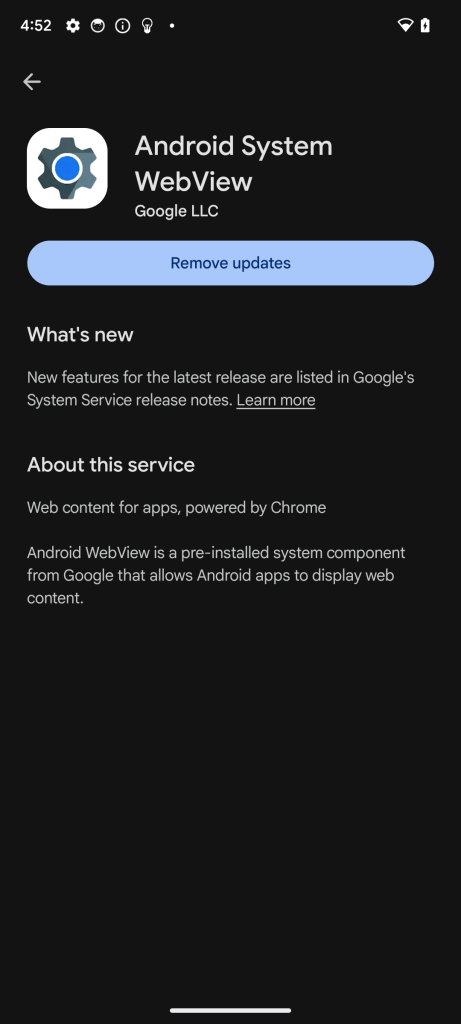
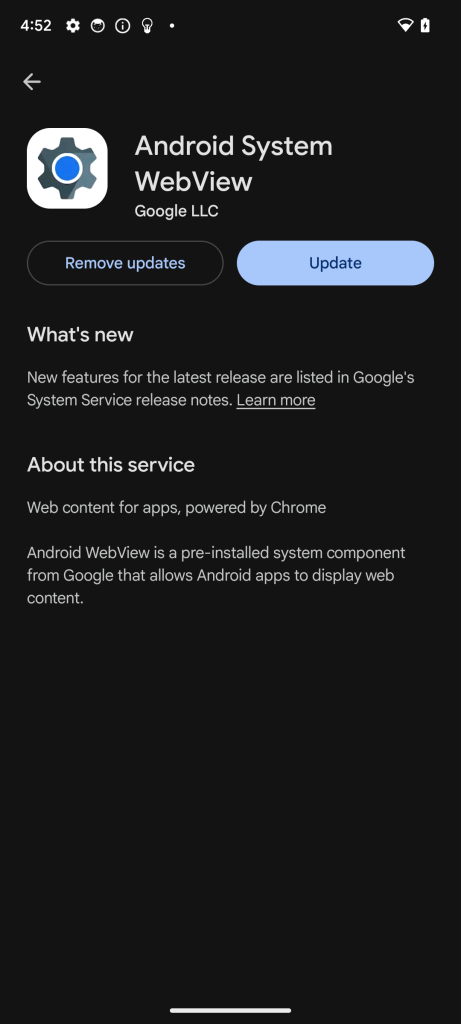
This one is pretty straightforward: you can remove updates via the Google Play Store by searching for the Android System WebView component, or by running the following adb command:
$ adb shell am start -a android.intent.action.VIEW -d "market://details?id=com.google.android.webview"You can then simply click ‘Remove updates’ to fall back to the original version. After uninstalling the updates, you’ll be given the option to install them again:
We can verify the version of the installed WebView component by running dumpsys webviewupdate:
# Before the downgrade: Version 149
$ adb shell dumpsys webviewupdate
Current WebView Update Service state
  Multiprocess enabled: true
  Current WebView package (name, version): (com.google.android.webview, 149.0.7827.159)
  Minimum targetSdkVersion: 33
  Minimum WebView version code: 567263634
  Number of relros started: 1
  Number of relros finished: 1
  WebView package dirty: false
  Any WebView package installed: true
  Preferred WebView package (name, version): (com.google.android.webview, 149.0.7827.159)
  WebView packages:
    Valid package com.google.android.webview (versionName: 149.0.7827.159, versionCode: 782715903, targetSdkVersion: 36) is  installed/enabled for all users
    com.google.android.webview.beta is NOT installed.
    com.google.android.webview.dev is NOT installed.
    com.google.android.webview.canary is NOT installed.
    com.google.android.webview.debug is NOT installed.
    com.android.webview is NOT installed.


# After the downgrade: Version 113
$ adb shell dumpsys webviewupdate
Current WebView Update Service state
  Multiprocess enabled: true
  Current WebView package (name, version): (com.google.android.webview, 113.0.5672.136)
  Minimum targetSdkVersion: 33
  Minimum WebView version code: 567263634
  Number of relros started: 1
  Number of relros finished: 1
  WebView package dirty: false
  Any WebView package installed: true
  Preferred WebView package (name, version): (com.google.android.webview, 113.0.5672.136)
  WebView packages:
    Valid package com.google.android.webview (versionName: 113.0.5672.136, versionCode: 567263634, targetSdkVersion: 34) is  installed/enabled for all users
    com.google.android.webview.beta is NOT installed.
    com.google.android.webview.dev is NOT installed.
    com.google.android.webview.canary is NOT installed.
    com.google.android.webview.debug is NOT installed.
    com.android.webview is NOT installed.
Combine mitmproxy with Burp Suite
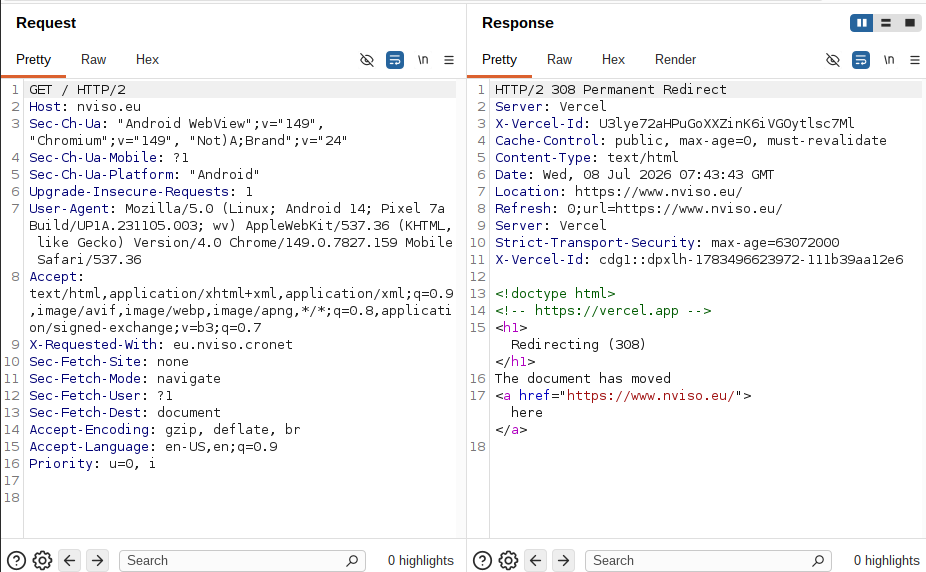
Since mitmproxy already generates correct certificates, we can chain mitmproxy and Burp Suite together so that the device sends all the traffic to mitmproxy, and mitmproxy then forwards the traffic to Burp Suite. This is called an upstream proxy and can be configured using --mode upstream:
./mitmproxy --listen-port 9090 --set confdir="$(pwd)/mitmproxy-conf" --mode upstream:http://localhost:8080 --ssl-insecureNote: --ssl-insecure is needed so that mitmproxy accepts Burp Suite’s self-signed certificate.
In this setup, Burp Suite is listening on port 8080, mitmproxy is listening on port 9090, and the device is configured to use mitmproxy as the proxy. Both Burp Suite and mitmproxy now intercept the requests:
Patch the libwebviewchromium library
This is possible, but it’s tricky to find the correct cert_verify_proc function. On the version installed on my device (149.0.7827.159), the HasTooLongValidity function has been inlined into cert_verify_proc, which is located at offset 0x3e015f8.
By default, the WebView will be running in multi-process mode, which means you would have to inject into webview_zygote instead of the application. This can be a bit tricky since an error may corrupt all of the WebViews on the system. Instead, we can configure the WebView to run without multi-process support, which allows us to inject into the application itself and disable the verification:
# By default, multi-process
$ adb shell ps -A | grep -iE "nviso|webview"
webview_zygote 2108  891   16780600  78628 do_sys_poll         0 S webview_zygote
u0_a263       4602   891   42812416 292684 do_epoll_wait       0 S eu.nviso.webview
u0_i9000      4760  2108  329676452 121228 do_epoll_wait       0 S com.google.android.webview:sandboxed_process0:org.chromium.content.app.SandboxedProcessService0:0
u0_i9001      4872  2108  329750904 153536 do_epoll_wait       0 S com.google.android.webview:sandboxed_process0:org.chromium.content.app.SandboxedProcessService0:0

# Switch to single-process
$ adb shell cmd webviewupdate disable-multiprocess

$ adb shell ps -A | grep -iE "nviso|webview"
u0_a263       8780   891  330974052 291592 do_epoll_wait       0 S eu.nviso.webview
We can now hook cert_verify_proc from within the application:
var base = Process.findModuleByName("libwebviewchromium.so").base
var cert_verify_proc = base.add(0x3e015f8)
Interceptor.attach(cert_verify_proc, {
    onEnter: function (args) {
        console.log("CertVerifyProc called");
    },
    onLeave: function (retval) {
        console.log("CertVerifyProc returned: " + retval.toInt32());
        retval.replace(ptr(0));
    }
});
This will have inconsistent results though, since the library actually caches the result of the TLS verification in CachingCertVerifier::Verify5 . In order to fully disable the check, the CachingCertVerififier needs to be patched, too. The CachingCertVerifier::Verify function is located at offset 0x3e00068:
var verify_cache = base.add(0x3e00068)
Interceptor.attach(verify_cache, {
    onEnter: function (args) {
        console.log("verify_cache called");
    },
    onLeave: function (retval) {
        console.log("verify_cache returned: " + retval.toInt32());
        retval.replace(ptr(0));
    }
});
The combination of these two hooks successfully disables the verification on version 149.0.7827.159.
Conclusion
Google is pushing towards shorter and shorter leaf-certificate validity periods with the goal of making sure that everything is fully automated. This makes sense from a resiliency perspective, but it can be annoying if our testing tools don’t keep up with these new requirements.
Luckily, the solutions described above can be used until Burp Suite catches up, or in any other similar situation.
References
CERT_VALIDITY_TOO_LONG– https://chromium.googlesource.com/chromium/src/+/3382059aa91aed758929a56d58e4f06303c381b4/net/base/net_error_list.h#586 ↩︎cert_verify_proc.cc– https://chromium.googlesource.com/chromium/src/+/12be442f095345a319ecb99140da0d26c037a98a/net/cert/cert_verify_proc.cc#533 ↩︎CertVerifyProc::HasTooLongValidity– https://chromium.googlesource.com/chromium/src/+/12be442f095345a319ecb99140da0d26c037a98a/net/cert/cert_verify_proc.cc#767 ↩︎- https://github.com/mitmproxy/mitmproxy/issues/8201 ↩︎
CachingCertVerifier::Verify– https://chromium.googlesource.com/chromium/src/+/12be442f095345a319ecb99140da0d26c037a98a/net/cert/caching_cert_verifier.cc#37 ↩︎